
From 17+ years of hands-on engineering · 8 min read
Practical Architecture Decisions for Multi-Tenant SaaS on AWS
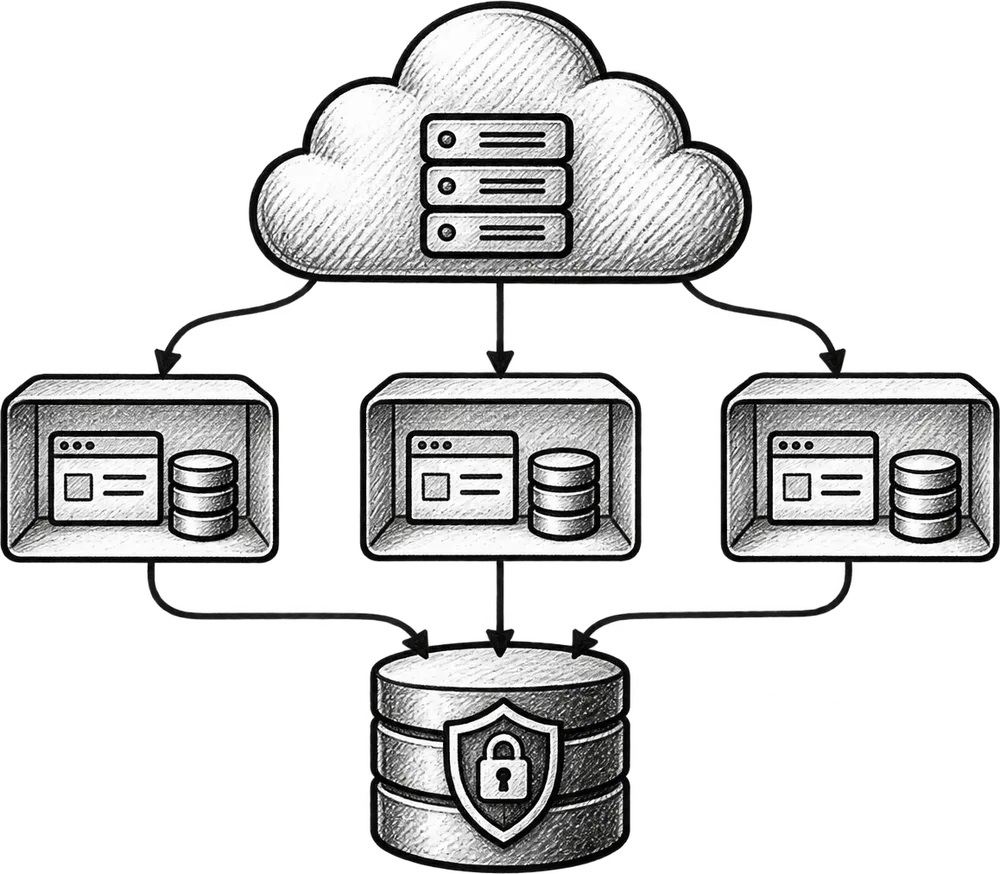
A multi-tenant SaaS app serves many customer companies from one platform. Before choosing AWS services, we need to know what belongs to each customer, who can access it, how plans differ and what happens when an account grows or leaves. I plan the AWS setup after those rules are clear.
In this guide
- 1Treat tenancy as a business rule first
- 2Always know which customer is active
- 3Choose data separation based on actual risk
- 4Permissions need more detail than admin and user
- 5Files, jobs, and integrations must follow the same boundary
- 6Keep the AWS setup as simple as possible
- 7Observe customer workflows, not only servers
- 8Plan for growth without paying for it too early
Treat tenancy as a business rule first
A tenant is usually a company, team, school, clinic, or another customer account. But real products quickly make that definition more complicated. One person may work with several organisations. A parent company may need visibility across subsidiaries. A consultant may need controlled access to client accounts. A free workspace may later become a paid account.
These rules affect almost every part of the app: registration, invitations, billing, permissions, reporting, notifications, file storage, and support. If the customer boundary is treated as a database detail, different features will invent different answers and the system becomes difficult to trust.
I write down how accounts work in language the business understands before choosing AWS services. Who owns the account? How does someone join? Can a person leave without deleting the company’s data? Can they belong to several accounts? These answers guide the technical design.
Always know which customer is active
Every request that reads or changes customer information needs a reliable customer context. It is not enough for the screen to show the correct company name; the backend must independently confirm that the signed-in user is allowed to act for that account.
I keep the active customer clear in the code instead of hiding it in global state. When the app reads an invoice, starts a report, creates a file or calls another service, there should be no doubt which customer it belongs to. This makes tests, logs and future changes safer.
For users who belong to several organisations, switching accounts must also be a real security transition. A changed menu label is not protection. Cached data, background requests, open browser tabs, and direct links all need to respect the selected account.
- Identify the customer on every relevant server-side request
- Check membership and permission before accessing a record
- Include customer context in logs and audit events
- Test direct URLs and background requests, not only visible navigation
Choose data separation based on actual risk
There is no single correct database arrangement for every SaaS app. Many products work well with shared tables where every customer-owned record contains a tenant identifier. Some need separate schemas or databases because of regulation, large-customer requirements, data volume, restore needs, or contractual isolation.
Stronger separation can lower one risk while creating more support work. Hundreds of databases need updates, monitoring, backups and connection management. A small team can create new problems by choosing a setup it cannot support well.
I choose the simplest model that satisfies the current security and business requirements, then document how isolation can become stronger if the customer base changes. That may mean starting with carefully enforced shared tables while keeping data-access boundaries clean enough to move selected customers later.
- Customer and compliance requirements today
- Expected data volume and unusually large accounts
- Backup, restore, export, and deletion expectations
- The team’s ability to operate the chosen isolation model
Permissions need more detail than admin and user
Simple roles are useful at the beginning, but SaaS permissions often become more specific. A finance user may view invoices but not customer records. A manager may approve work without changing account settings. An external collaborator may access one project but not the rest of the organisation.
I separate authentication—knowing who the person is—from authorization—deciding what that person may do in this customer account. Permission checks belong close to the business action, not only in the user interface. Hiding a button does not prevent someone from calling the underlying endpoint.
Sensitive changes should also leave an understandable history. When access is granted, billing details change, data is exported, or an integration is connected, the business may need to know who acted, when it happened, and which account was affected.
Files, jobs, and integrations must follow the same boundary
Customer separation is easy to remember during a normal page request and easier to forget elsewhere. Uploaded files, queued work, scheduled reports, email delivery, webhooks, cache entries, search indexes, and third-party credentials all carry customer information too.
A background job should not guess its tenant from a record after it starts. I include the customer context in the job message, validate it again while processing, and attach it to logs. The same applies to webhooks and retries, where an event may arrive more than once or much later than the original request.
Storage paths and cache keys need deliberate namespacing. Integration tokens should have clear ownership and controlled access. These details prevent the rare cross-customer failures that are difficult to reproduce and especially damaging to trust.
- Carry customer context through queues and scheduled work
- Make externally visible actions safe to retry
- Separate customer files and integration credentials clearly
- Trace a workflow across the website, worker, and external service
Keep the AWS setup as simple as possible
A new SaaS app does not need every AWS service. It needs repeatable deployment, protected secrets, the right database, secure file storage, useful logs, backups and enough capacity for expected use. A few well-understood services are better than a complex system built for growth that may never happen.
I decide between containers, managed application platforms, serverless functions, queues, and other services based on the workload and the team operating it. A background-heavy system has different needs from a mostly interactive website. A predictable app with steady traffic may benefit from a different cost model than an event-driven workload with long idle periods.
The AWS setup should be repeatable so it does not depend on someone remembering a list of console clicks. Automation should make releases safer without turning a small app into a large AWS project.
Observe customer workflows, not only servers
CPU and memory graphs are useful, but they do not tell a founder whether customers can complete the action they pay for. I add visibility around important workflows: registrations, imports, report generation, payments, webhooks, uploads, and integration syncs.
Metrics and logs should show whether a problem affects the whole app, one customer or one outside provider. Customer details must be handled carefully in monitoring tools, but without enough context every problem takes longer to understand.
Useful visibility also supports product decisions. It can show that one tenant creates most queue volume, a certain report repeatedly times out, or a plan limit no longer matches real usage. This evidence is often more valuable than adding infrastructure in anticipation of growth.
Plan for growth without paying for it too early
A good SaaS design leaves room for change without trying to predict everything. Clear customer rules, known data owners, background jobs, repeatable releases and useful monitoring make later changes possible. The first release does not need microservices, many databases or a large support team.
When the app grows, real data should show where it is under pressure. Busy work can move to a queue. A large customer can get stronger data separation. Reports can use their own path. File storage can change based on real usage. Each change should solve a real problem.
My goal is a platform the current team can understand and operate, with a credible route to the next stage. The strongest AWS design is not the one with the most services. It is the one that protects customer boundaries, supports reliable delivery, and lets the business invest in complexity only when that complexity has earned its place.